

Customers & Leads
Keep every customer and lead in one place.
- Leads and customers
- Groups and tags
- Customer history
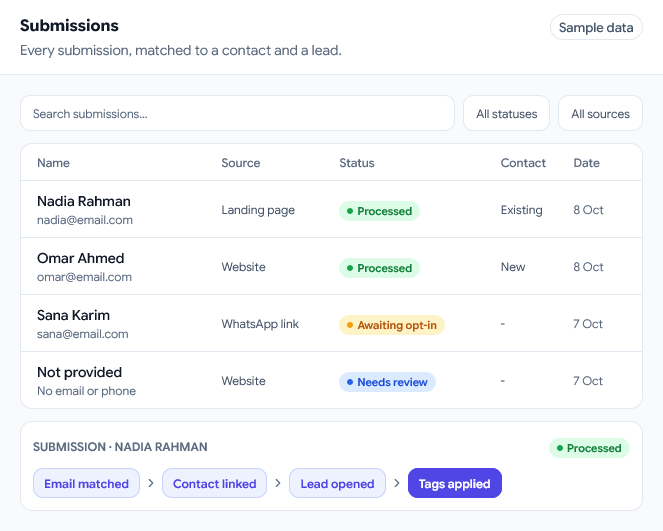
Submission journey
The answers are recorded with the consent the visitor gave for each channel.
Checked against Customers by phone, then email, before any contact is created.
The contact moves to the pipeline stage you chose, and the form's tags are added.
A new contact starts any workflow listening for new contacts from forms.
Form builder
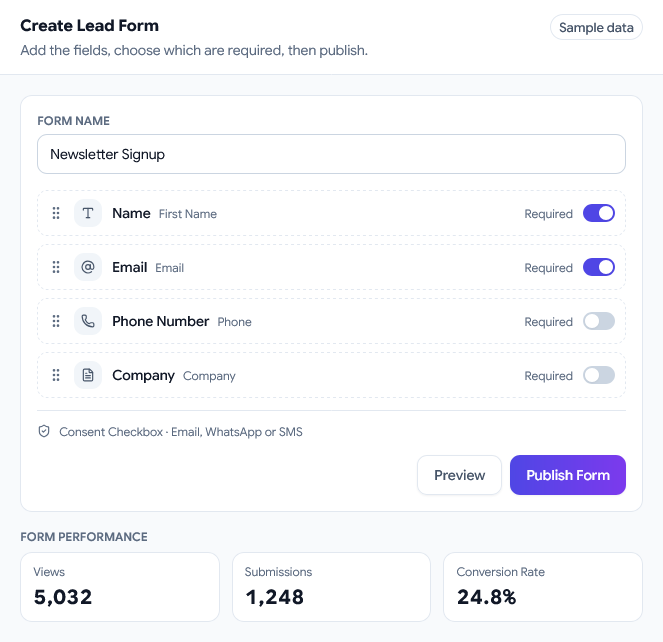
Start from a lead capture, contact, newsletter, quote, registration or custom form, then add fields, pick a layout and decide what visitors see after they submit.
CRM sync
A submission is checked against Customers before anything is created, so a returning customer is linked to their existing record instead of becoming a second one.
Consent and opt-in
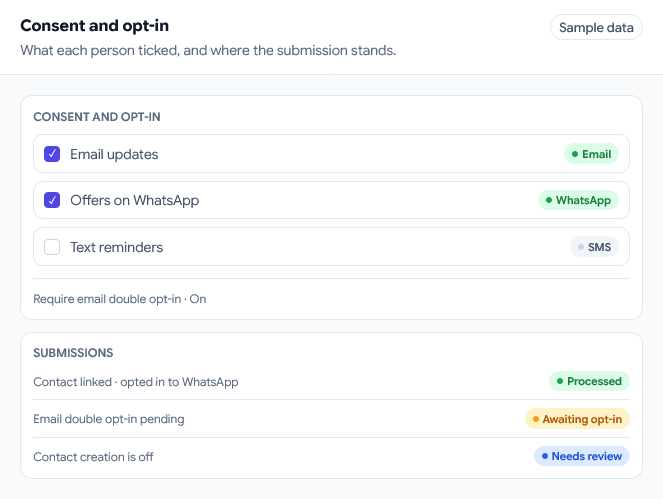
Consent is collected per channel, and each submission records exactly what was ticked, so your follow-up starts from what the visitor actually agreed to.
Workflow follow-up
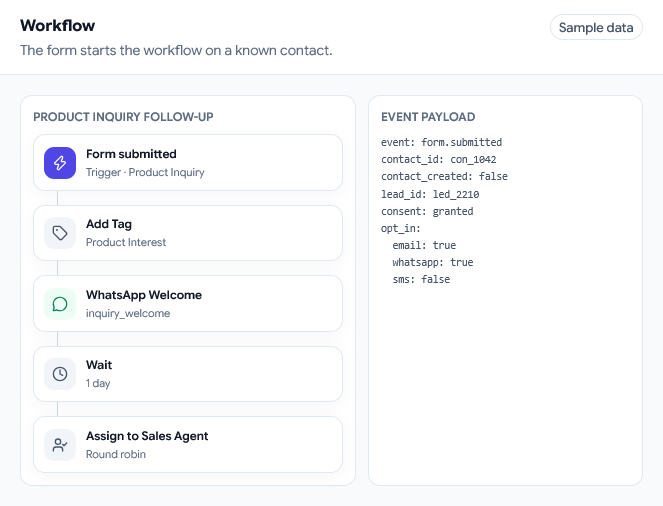
A workflow that starts on new contacts from forms picks up each new lead. The form has already resolved the contact, so the workflow starts on a known person.
Connected modules
Keep every customer and lead in one place.
Send and track campaigns on WhatsApp, Email and SMS.
Send automatic WhatsApp replies and follow-ups.
Ready to start?
Bring your chats, campaigns, automation, products and sales together in one place
Why choose us
Stop juggling apps, spreadsheets and reminders. Use one workspace that turns chats into customers, so you can grow faster with less work.
Answer WhatsApp, SMS and Messenger chats from one place
Set up automatic follow-ups and messages, no coding needed
Keep leads, customers, groups and history in one place
See your chats, campaigns and sales as they happen
Sell products, services or digital goods
Your data stays in your workspace, and you decide who sees what

